The New York Times launched a major redesign last month and, as is the way with these things, got a bunch of angry comments from pitchfork-wielding Times readers who wanted to be able to print articles with a single click instead of two. And though public editor Margaret Sullivan claims to have sifted through though thousands of comments, my one little nitpick hasn’t been addressed.
For years the Times has had a hidden feature called “Emphasis,” which would allow readers to click shift twice and then highlight and deeplink to individual sentences and paragraphs. It’s really great for a site like the New York Times to be able to pick out one well-reported detail in a longer piece and direct people’s attention directly there.
I liked it so much I found a WordPress plugin that incorporates the feature and added it to this blog. I am skeptical that anybody has ever used it here, but it’s been an option. (You can try it out by clicking shift twice.)
In any case, Emphasis is gone from the new redesign, and as far as I can tell hasn’t been mentioned since. The technical recap describes a ground-up rewrite, and it probably was just not a priority. I suspect it was never a very popular feature, but I, for one, miss it.
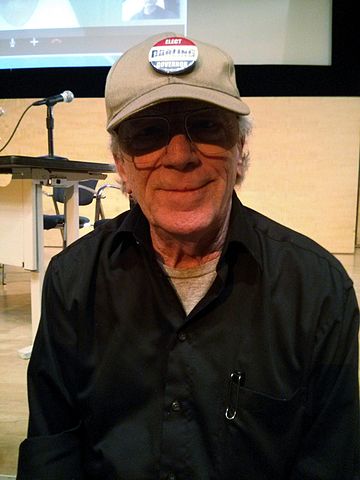
Today I got a chance to check out the last day of the Ex Postal Facto conference, made up of a few panels at the San Francisco Public Library. The conference was dedicated to mail art, and today’s panels featured a handful of people that have been in that scene for decades, including these two:
Those are pictures I took today of Anna Banana and Lowell Darling. (I added Anna’s to her existing Wikipedia article, and created a new one for Lowell.)
I wasn’t really familiar with mail art at all and after today I feel like I’ve been missing out. But you could hardly get a better introduction than the one I had today: incredibly friendly leaders of the community having a great time meeting in person and sharing stories about the 40+ year history of the art movement.
Actually, it felt a lot like a hacker conference, but for a totally different community.
Speaking of hacker parallels, I was struck by how the timelines of the mail art community and the golden age of phone phreaking lined up. It’s really striking because in neither case was it really facilitated by new technical developments. Rather it was just people digging in and really exploring the communications networks they were using.
I had a great time and plan to dig more into mail art in the next few weeks. One fun project might be to try to find a cheap pinhole perforator to make artistamps—or to fashion one out of an old sewing machine.
We had a keysigning party at work today, and after it finished a few of us were looking for a way to visualize the newly increased signature density. It turns out the best tool for the job is called sig2dot, which is available in the Debian repositories (and as a Perl script on its homepage).
Just make sure your keychain is refreshed with the most up-to-date keys (that’s just gpg --refresh-keys), and then run the script to create a file in the DOT language. I had to download the script itself, so I ran:
$ gpg --list-sigs | ./sig2dot.pl > keyring.dot
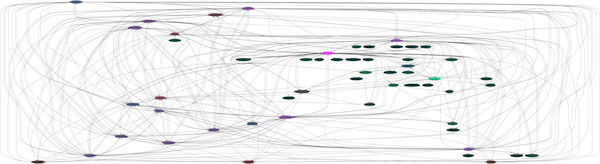
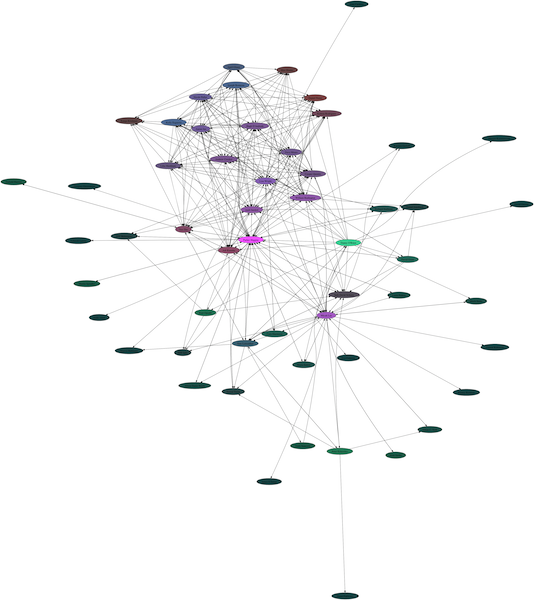
Then, you can use one of a number of programs to render a visual file out of keyring.dot. If you have the package graphviz installed, you can use its dot command, or the neato command, which behave differently. Here are examples from my own key ring of the two programs in action:
$ dot -Tpng keyring.dot > keyring.dot.png
$ neato -Tpng keyring.dot > keyring.neato.png
In both cases, I’ve reduced the size of the graph a lot intentionally so the names are unreadable, but I’m looking at them locally at full size. In each case I’m the bright pink node in the middle. In the second graph, the keysigning party is clear as the dense patch in the top.
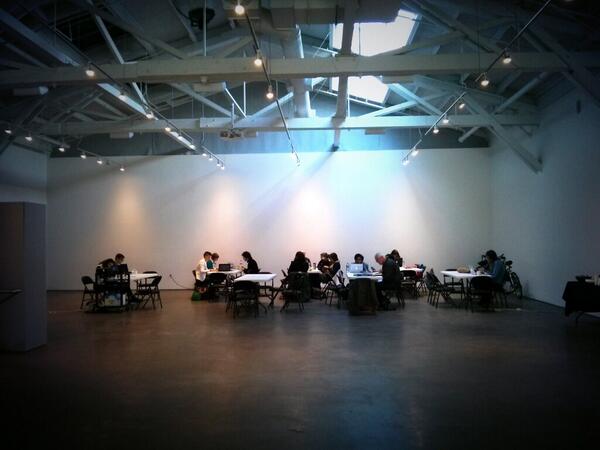
I had a great time this weekend editing Wikipedia at the San Francisco satellite of the Art+Feminism edit-a-thon. Check out the venue:
There were a few dozen people there, mostly new to editing, all excited to contribute some work. And we got a lot of great stuff done! I spent most of the day teaching people how to use the markup (lots of people needed additional help with the citation format) and finding information about the reclusive but increasingly popular artist Lutz Bacher. I hadn’t heard of her before, but in the course of putting together that article I became very interested. I am now trying to get my hands on an early copy of a new major book of her work to see if there’s anything I can add to her bio.
It’s always great to see people make their first few edits, and people were so excited to make a new page and all of a sudden have the thing actually be there and available online. I think that Wikipedia’s ubiquity has really had a lot of influence on that process: people have used hundreds or thousands of articles before, and now they can actually make their own, and it’s a full-fledged part of the site immediately. That’s great.
Another fun thing was talking to people about copyright. Obviously, since the event focused on artists, people wanted to include images and art from the subjects. Sometimes I feel that the case for copyright reform and a freer culture requires a lot of abstraction, but this situation was dramatic and concrete. I probably converted a number of new copyfighters that day.
The results are impressive: dozens of new articles created, dozens more cleaned up or improved, and countless new people editing Wikipedia and slowly—but surely—improving the quality of representation for all kinds of issues.
I’ve been disappointed to see a lot of journalists get a recent story about security breaches and Yahoo Mail wrong. In particular, I worry that this kind of misleading reporting will contribute to worse security practices for both the companies that users trust with their data, and the users themselves.
First, here’s what happened: Yahoo reported on its Tumblr that it had detected “a coordinated effort”—basically, an attack—by somebody trying to gain access to user accounts. Yahoo deserves some credit here for reporting that information, and also for taking the good next steps of resetting passwords of affected users and “implement[ing] additional measures to block attacks.”
This is not an attack on Yahoo. It’s the predictable result of a leak of somebody else’s database. Let’s call the origin of that database Company X. Company X’s database contains both user email addresses and passwords to log into Company X’s site. But if Company X users had the same password to log in to both their email account and Company X’s site, it’s trivial to take the leaked information and try to log into email accounts with it.
That’s what it sounds like happened in this case. Yahoo detected somebody using this leaked database to try to get into many different user accounts and proactively changed passwords to mitigate the risk for people who reuse password.
That’s where the real danger is: misunderstanding this kind of breach as the result of bad security by Yahoo, and not bad security by users. The right way to mitigate this problem is to never reuse passwords, and certainly never to reuse your email account password. Note that this entire attack fails completely if users’ Company X passwords are different from their Yahoo Mail passwords. The best way to use good and unique passwords is to use a password safe like KeePass X or LastPass and have that program generate a new one for each site.
This is good advice everywhere, but absolutely critical stop-reading-this-blog-post-and-do-it-now advice for email accounts. Email addresses are both uniquely vulnerable targets and valuable assets for attackers. A leaked database from some random site won’t include information about your credentials on other websites except your email. And compromising an email account can get an attacker master keys into other accounts. They can search for banking info, for example, and have your super-secret bank password reset with a “Forgot my password?” email reset option.
Given those heightened risks, you want your email provider to be especially vigilant. When they detect any kind of attack, you want them to take action. I worry that if the press reports this kind of sensible reaction as if it were a screw-up, it will discourage other companies from following suit.